
|

PractiSoft® Software Bills Insurance Faster
- Prints standard HCFA-1500 health and ADA dental insurance claim forms.
- Includes software for electronic submission of medical and dental claims.
- Uses alternate procedures and diagnoses codes to meet carrier requirements.
- Stores billing information to allow duplication of any insurance claim.
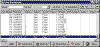 |
The Claim Management operation gives you access to
every claim in the system -- both paper and electronic. |
PractiSoft® Software Simplifies Accounting
- Patient ledgers show all accounting activity on a patient’s account.
- Patient aging reports help ensure that charges are collected more quickly.
- Patient account statements present billing information professionally, urging patients
to keep their account current.
- Prints separate accounts receivable aging, ledgers, billing, reports and more by
attending provider.
- Records billing information by case.
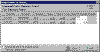 |
This window lets you specify which transactions are
paid by an insurance carrier or patient payment. Select the transaction and enter the
amount paid. |
PractiSoft® Software Makes Practice Management More Effective
- Closing a day’s accounting is a snap with the patient daysheet report.
- The practice analysis report summarizes charges, payments and account adjustments. Print
it each month to stay informed about your practice’s financial health.
- The PractiSoft® system includes the Office Hours® computerized patient appointment
book.
- Print birthday lists, recall patients and create customized reports and form letters
with the report designer.
PractiSoft® Software Improves Collections
- Prints customized patient statements with collection messages and writes collection
letters.
- Tracks slow-to-pay patients and insurance carriers.
PractiSoft® Software Fits the Way You Work
- Search or browse for all types of information. Search for patients using twenty-seven
different data fields.
- Use the report designer to create specialized reports.
- Use the PractiSoft® system's own data backup program or specify another backup program
to safeguard billing information.
- Enter data, print a report and do billing all at the same time using multi-tasking
features.
- Print reports using Windows printers and fonts -- A print preview is available, letting
you see a report before it is printed.
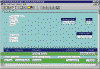 |
The Report Designer lets you customize your insurance
claims, patient statements, lists and more. Use the report designer's visual interface to
make your printed output look the way you want it to look. Use Windows fonts and draw
simple shapes to enhance your image! |
Get Help When You Need It
- Online help and user manual answer your questions.
- Whether you get assistance from an independent PractiSoft® dealer or choose to call
our toll free number (888) 987-9335, help for PractiSoft® software is easy to get.
If you have any questions please email us: MedisoftInquiry@medicserve.com
Get the PractiSoft® Demo!
The PractiSoft demo lets you see just how the program works on your own computer. The
PractiSoft® demo is fully functioning software with limits on data storage. Enter data.
Print reports. Get a feel for how easy the software is to use. Here's how to get the demo:
(hint: you may want to print a copy of these instructions for later use.)
- Your Web browser will copy the demo to your computer. Click http://www.medicserve.com/demo.htm
- After clicking GO!, your Web browser will ask you what to do with the file. Save the
file to your computer's hard disk.
The PractiSoft® for Windows demo is real, working software with a data limitation. You
will not be able to set up more than 25 patients in your billing files, but you will be
able to use the demo just like you use the retail version of PractiSoft® for Windows.
If you have any questions please email us: MedisoftInquiry@medicserve.com
or call (888) 987-9335.
|